AI academic paper grader
Grading papers
with consistent AI
Upload a rubric. Students submit as normal. Eduface returns annotated, explainable grades, ready for your review.
No credit card required, EU & UK GDPR compliant, No training on your data

UK Pilot Results
One time setup. Consistent marking across every marker.
The module leader configures Eduface once using the assignment brief and rubric. Every marker on the team then works from the same grading agent eliminating the inconsistency that comes from different people interpreting the same criteria differently.
01
Module leader configures the grading agent
The module leader uploads the assignment brief, rubric, and any additional guidance once. Eduface uses this to calibrate the grading agent specifically to that assignment.
02
Every marker works from the same setup
All markers whether one or twenty use the identical grading agent. No interpretation gaps, no personal bias drift. The same standard applied to every submission.
03
Markers review, not redo
In our UK pilot, markers changed an average of just 5% of each final grade. The agent does the heavy lifting; lecturers apply their professional judgement where it matters.
Average accuracy in UK pilots
95%
Markers changed only 5% of each final grade on average
1×
Module leader setup
Configured once, used by all
markers
20+
Same for every marker
Eduface has been used by courses with over 20 markers with great consistency.
Your judgment stays in control
Eduface grades every submission but the marker always has the final say.
s4436792
Mark as Completed
Feedback
Comments
Assessment
Total Grade
70 Very Good
Knowledge and understanding
Weight: 25%
75 Very Good
Critical examination of literature
Weight: 25%
−
65
+
Classroom practice analysis
Weight: 25%
75 Very Good
Academic communication
Weight: 25%
65 Good
Edit any AI grade instantly
Click the pencil icon on any criterion. Nudge the score up or down with the - / + controls, or type directly. Your change is saved immediately and the total grade updates in real time.
Review and override any AI-generated score
Changes are saved instantly, no submit button
Total grade recalculates across all weighted criteria
Standardized Quick comments in one click
The module leader pre-loads a bank of reusable comments before marking begins. Any marker on the team can add one to any submission in two clicks with consistent language and no retyping.
Module leader sets up the comment bank once
Available to every marker on the assignment
Click to highlight a passage, click to attach
Critical Analysis: Feedback & Learning in Practice
s4436792 · Assignment 2
The evidence from placement both confirms and complicates the theoretical literature. Black and Wiliam's (1998) foundational claim that formative feedback can produce significant learning gains was visible in the guided group interaction described above encouraging.
However, it would be misleading to present this as a uniform picture. On many occasions, the structural constraints identified by Henderson et al. (2019) were clearly operative. In a class of thirty-two pupils,
individualised dialogic feedback was inherently limited.
Whole-class feedback, while efficient, often lacked the specificity necessary to address individual
misconceptions…
Quick comments
Set up by module leader
Generalisation
Avoid generalisations unsupported by literature or evidence
Add
Expand
This needs more exploration and detail
Add
Breadth of literature
Different perspectives in the literature have been drawn on
Add
Good point
Add
Grading your way
Five formats, one rubric. Configure once, reuse across every cohort.
Points-Based
Numeric score per criterion
1/10
Critical analysis
8 / 10
Use of evidence
7 / 10
Academic writing
6 / 10
Descriptive Levels
Unsatisfactory
Satisfactory
Good
Critical analysis
Satisfactory
Pass / Fail
Simple binary outcome per criterion
2 levels
Critical analysis
Pass
Use of evidence
Pass
Academic writing
Fail
Descriptive level extended
Numeric score with descriptive level alongside
1–100 pts
Critical analysis
85
Outstanding
Use of evidence
68
Good
Academic writing
52
Satisfactory
AI Grading Off
manual only
Prefer to mark manually? You can disable AI grading entirely and use Eduface purely formatively or as a manual marking space. Rubric tracking, quick comments, and batch export, are all working to make your grading quicker.
AI grading
Off
Rubric-guided marking
Batch export to gradebook
Quick comments still available
Consistent marking from submission one to submission three hundred
Eduface applies the same rubric criteria with the same weight every time. No fatigue, no drift or variation between the first and last essay in the batch.
Every grading decision is explainable. Lecturers can see exactly how each criterion was scored and adjust before sharing.
Within 5% of human marking every submission
Calibrated to your rubric and trained specifically for assessment
Assessment Results
7.4 / 10
Argument structure
Weight: 20%
8 / 10
Use of evidence
Weight: 20%
7 / 10
Academic writing
Weight: 20%
9/ 10
Critical analysis
Weight: 20%
5 / 10
Referencing
Weight: 20%
3/ 10
Reviewed and approved by lecturer
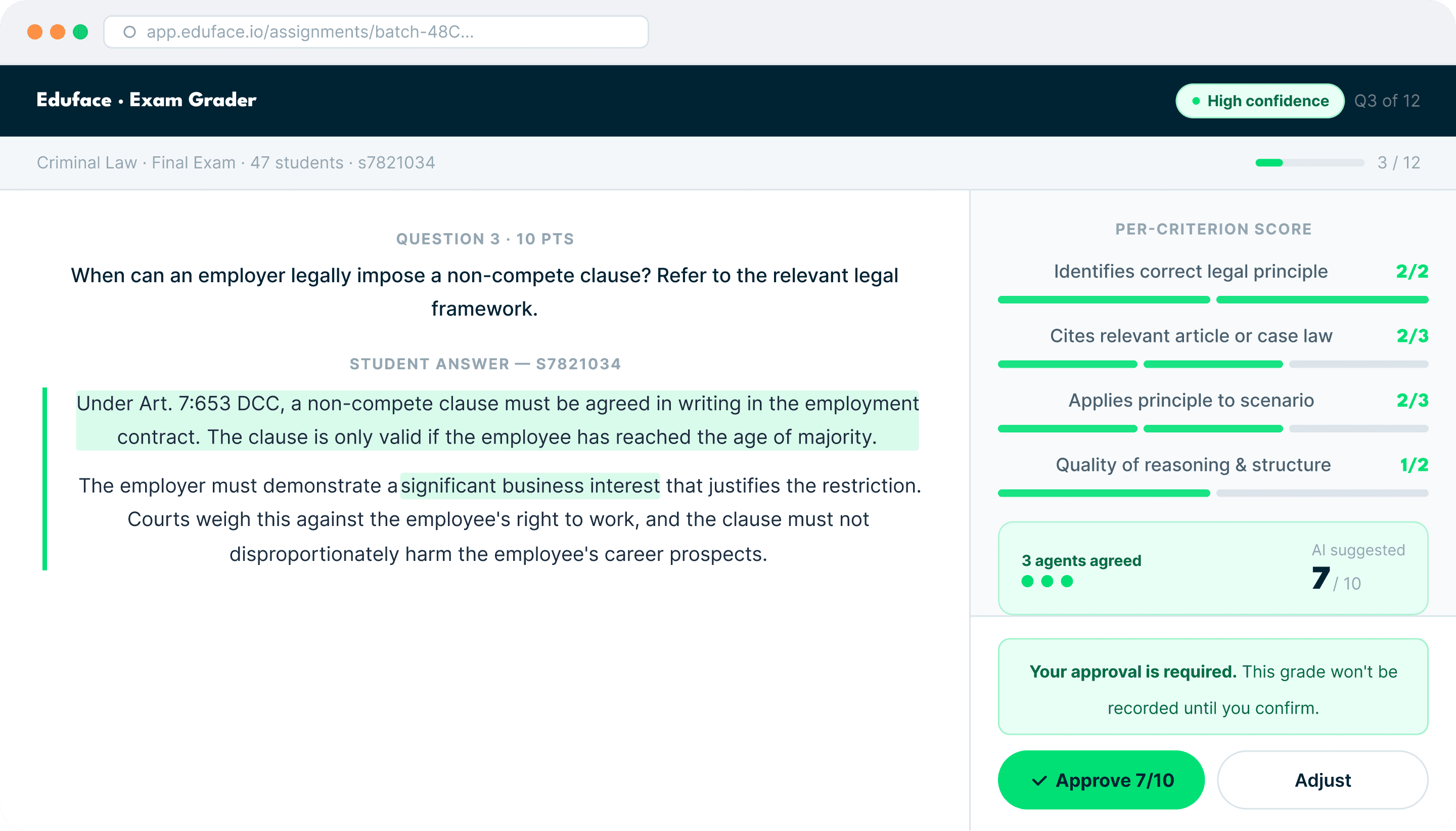
The educator is always in control
AI assists in grading, but never makes any decision without prior human approval and instructions.
Submission
Student work
uploaded
AI Scores
82
67
91
Per criterion,with
reasoning
Educator
Reviews every grade
before release
✓
Approve
✎
Edit
★ Never auto-released
Released
Grade delivered to
student
🇪🇺
EU AI Act
Article 13 · Transparent & explainable
Human oversight required
Educator approval is the mandatory human control under Art. 13
Every grade explained
Full decision trail per criterion with clear traceability and mandatory human control.
Own proprietary model
Fully auditable with no third party APIs from big tech organizations.
High-risk AI ready
Education grading qualifies as high-risk under the EU AI act for education.